
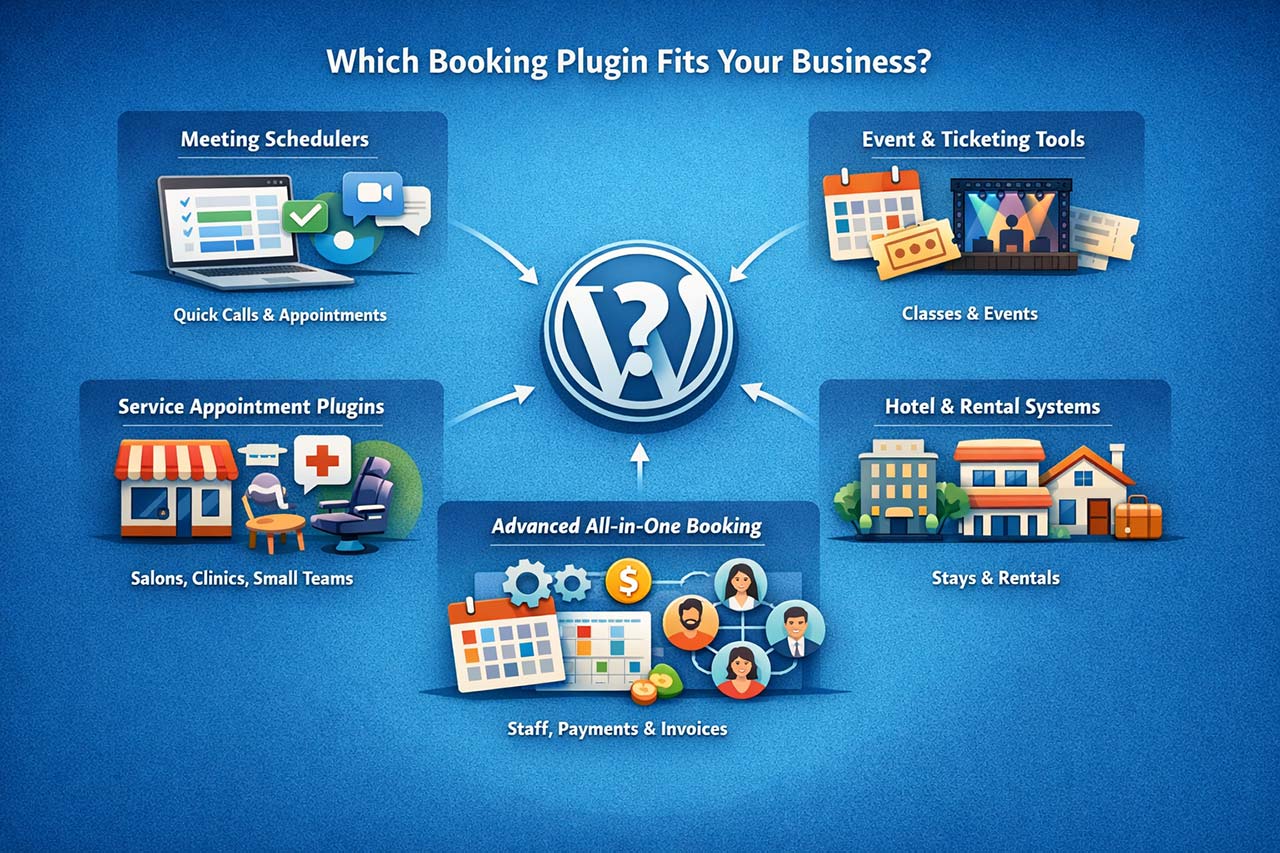
Businesses coming from simple scheduling tools often discover their limits only once real operational complexity appears. A yoga studio, a consultant, a clinic, and a hotel all need booking — but they don’t need the same booking logic.
In this guide, we compare the best WordPress booking plugins in 2026 and show which solutions fit different business types — from solo consultants to multi-location service businesses.
If you are specifically looking for alternatives to WooCommerce Bookings, you can read our detailed comparison of the best WooCommerce Bookings alternatives.
Key Takeaways
If you’re trying to choose the best WordPress booking plugin, the right solution depends on your booking complexity and business model.

- Simply Schedule Appointments works well for consultants and solo professionals scheduling meetings.
- Booknetic, BookingPress, Booktics , Bookly and LatePoint are popular appointment booking plugins for small service teams.
- The Events Calendar is designed for event-based scheduling and ticketed events.
- MotoPress Hotel Booking and Tourfic are better suited for rentals and hotel-style reservations.
- VOLIXTA is designed for complex service businesses that need multi-staff scheduling, packages, payments, and invoicing in one platform.
Understanding the type of bookings your business needs to manage is the most important step in choosing the best WordPress booking plugin.
What Changed in WordPress Booking Plugins in 2026?
WordPress booking plugins have evolved significantly in recent years. In 2026, the biggest shift is not simply about adding more features, but about how booking systems handle real business operations.
Several changes define the current landscape:
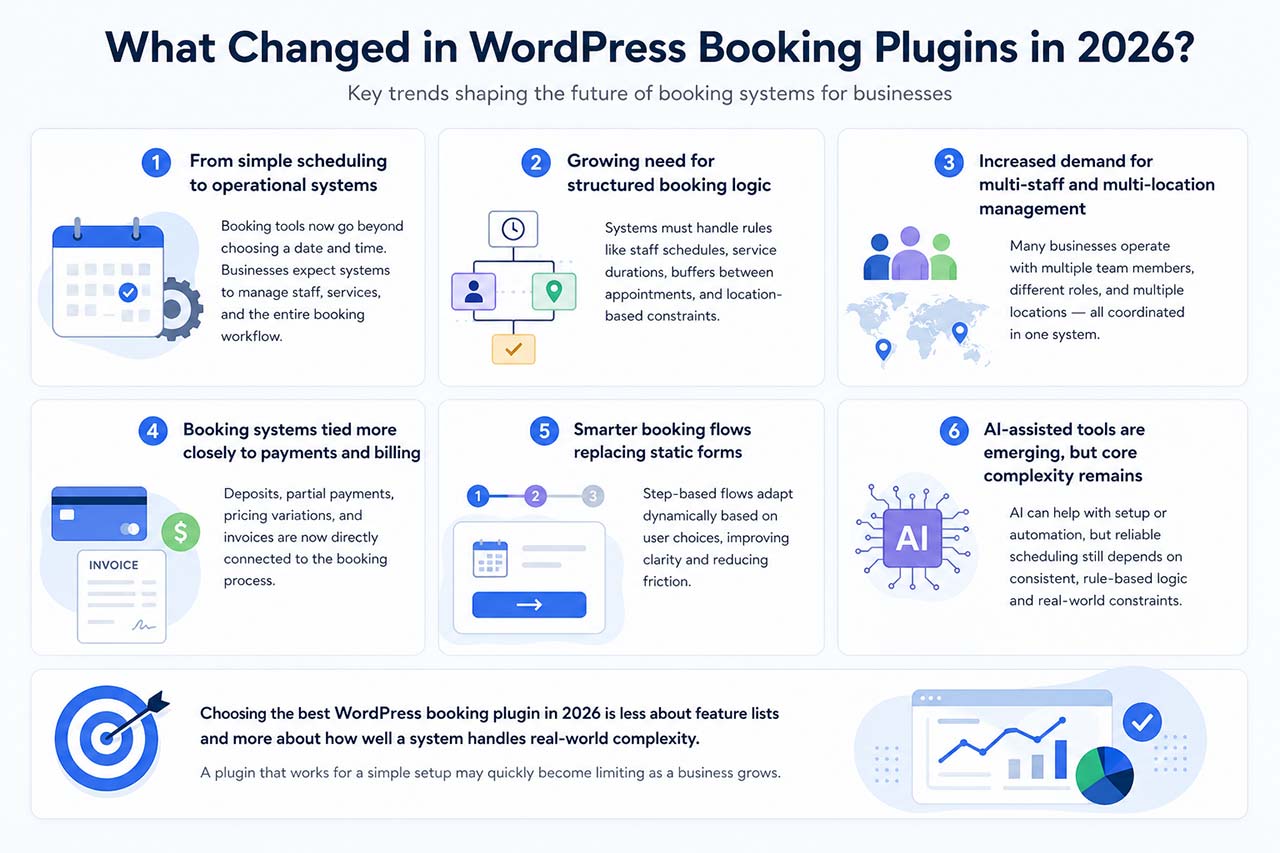
1. From simple scheduling to operational systems
Booking tools are no longer limited to selecting a date and time. Businesses increasingly expect booking systems to manage staff coordination, service logic, and the full booking workflow from selection to confirmation.
2. Growing need for structured booking logic
As businesses scale, booking becomes more than availability management. Systems must handle rules such as staff-specific schedules, service durations, buffers between appointments, and location-based constraints. This shift makes structured and reliable booking logic more important than ever.
3. Increased demand for multi-staff and multi-location management
What used to be considered advanced functionality is now a common requirement. Many service businesses operate with multiple team members, different roles, and sometimes multiple locations, all of which need to be coordinated within the same system.
4. Booking systems tied more closely to payments and billing
Booking is no longer separate from revenue. Deposits, partial payments, pricing variations, and invoices are increasingly connected directly to the booking process rather than handled by external tools.
5. Smarter booking flows replacing static forms
Traditional long booking forms are gradually being replaced by step-based flows.
These flows adapt dynamically based on user choices, improving clarity and reducing friction during the booking process.
6. AI-assisted tools are emerging, but core complexity remains
Some tools are beginning to introduce AI to assist with setup or automate parts of the booking experience. However, while AI can help generate interfaces or simplify certain tasks, it does not remove the underlying complexity of booking systems.
Reliable scheduling still depends on consistent, rule-based logic such as availability, service structure, and pricing rules. In practice, building a dependable booking system is less about interface generation and more about handling these constraints correctly.
These changes make one thing clear:
Choosing the best WordPress booking plugin in 2026 is less about feature lists and more about how well a system handles real-world complexity.
A plugin that works for a simple setup may quickly become limiting as a business grows.
If you’d like to understand what actually happens inside a booking system—from availability calculations and staff assignment to payments and calendar synchronization—read our guide on how WordPress booking plugins work behind the scenes.
What Is the Best WordPress Booking Plugin?
The best WordPress booking plugins in 2026 include:
- Simply Schedule Appointments (for consultants)
- Booknetic /BookingPress/ Booktics (for small service teams)
- The Events Calendar (for events)
- MotoPress Hotel Booking (for rentals)
- VOLIXTA (for complex service businesses)
The best WordPress booking plugin depends on your business type, booking complexity, and payment needs.
Here’s a simple rule of thumb:
- Solo meetings & calls → simple meeting schedulers
- Small service teams → appointment booking plugins
- Events & workshops → event booking calendars
- Hotels & rentals → date-based booking systems
- Multi-staff services with packages, payments, and invoices → advanced all-in-one booking platforms
If you pick the wrong type early, switching later can be difficult and costly.
And even with the right plugin, long-term growth depends on how your entire booking system is structured.
Best WordPress Booking Plugins – Quick Comparison
The comparison below highlights the main differences between some of the most widely used WordPress booking plugins and helps identify which solution fits different business needs.
| Plugin | Best for | Complexity | WooCommerce | Multi-staff | Multi-location | Packages | Invoices |
|---|---|---|---|---|---|---|---|
| BookingPress | Service-based businesses with feature-rich booking | Medium | Native + WooCommerce |  |
 Add-on |
Add-on |
| Booknetic | Service businesses needing advanced appointment booking | Medium | Native + WooCommerce | |
|
Add-on |
Add-on |
| Booktics | Service-based businesses with feature-rich booking | Medium | Native | |
|
 |
Basic |
| Bookly | Flexible booking with add-ons | Medium | Available via add-on | |
Add-on |
Add-on |
Add-on |
| LatePoint | Local service businesses | Medium | Optional | |
Limited |
|
|
| Simply Schedule Appointments | Solo professionals and consultants | Low | Optional (Stripe/PayPal) | Limited |
|
|
|
| MotoPress Appointment Booking | Appointments and group scheduling | Medium | Optional add-on | |
Limited |
|
|
| VOLIXTA | Multi-staff service businesses with advanced workflows | High | Payments only (native booking logic) | |
(branches) |
Advanced |
Built-in |
Feature availability can vary depending on plugin plans or extensions. This comparison highlights the most common capabilities used by service businesses when evaluating WordPress booking plugins.
Best WordPress Booking Plugins (Quick Picks)
If you’re looking for a quick recommendation based on your business type, the table below summarizes which WordPress booking plugin fits the most common use cases.
| Use Case | Recommended Plugin | Why It Fits |
|---|---|---|
| Consultants & meetings | Simply Schedule Appointments | Lightweight scheduling designed for one-to-one meetings and consultations. |
| Small service teams | Booknetic / BookingPress / / Booktics | Supports multiple staff members, services, and calendar synchronization. |
| Flexible booking workflows | Bookly | Expandable booking system with a large ecosystem of add-ons. |
| Events & workshops | The Events Calendar | Designed for event publishing, scheduling, and ticket-based registrations. |
| Complex service businesses | VOLIXTA | Advanced booking platform combining scheduling, packages, payments, and invoicing. |
Pricing & Setup Snapshot
The table below provides a quick overview of pricing models and entry-level plans for some of the most popular WordPress booking plugins.
| Plugin | Free plan | Pricing model | Starts at | Standout |
|---|---|---|---|---|
| BookingPress | ✅ | Annual + lifetime (core + add-ons) | From $79/year | Feature-rich booking with many built-in integrations and addons |
| Booknetic | ✅ | Annual + lifetime (core + add-ons) | From $45/year | Advanced automation, 10+ payment gateways, WooCommerce, SaaS support |
| Booktics | ✅ | Annual + lifetime (core + add-ons) | From $63/year | Modern booking system with flexible scheduling and integrations |
| Bookly | ✅ | Annual + lifetime (tiers/add-ons) | From $49/year | Large ecosystem and upgrade path |
| LatePoint | ⚠️ Limited / not highlighted | Annual + lifetime | From $99/year | Clean booking flow + automation |
| Simply Schedule Appointments | ✅ | Annual (multi-tier) | From $129/year | Simple setup, WordPress-first |
| MotoPress Appointment Booking | ✅ | Annual + lifetime | From $49/year | Strong for services + classes |
| VOLIXTA | ❌ | Annual + lifetime | From 149€/year |
Unified operations: packages, credits, invoicing |
Pricing is indicative and may change based on site count, renewals, or add-ons.
Below, we break down each category and explain which booking logic fits your business.
Types of WordPress Booking Plugins
WordPress booking plugins generally fall into several categories depending on the type of scheduling they manage.
Simple Meeting Schedulers
- Simply Schedule Appointments
- FluentBooking
Appointment booking plugins
- Booknetic
- BookingPress
- Booktics
- Bookly
- LatePoint
- MotoPress Appointment Booking
Event booking systems
- The Events Calendar
- Hotel and rental booking systems
- MotoPress Hotel Booking
- Tourfic
Advanced all-in-one booking platforms
- VOLIXTA
Each category solves a different operational problem, which is why the “best” WordPress booking plugin depends on the type of bookings a business needs to manage.
Best WordPress Booking Plugins (Overview)
Several WordPress booking plugins dominate the ecosystem, each designed for a different type of scheduling workflow. Some focus on simple meeting scheduling, while others support complex service operations with staff coordination, payments, and business logic.
Below is a quick overview of some of the most widely used WordPress booking plugins.
VOLIXTA
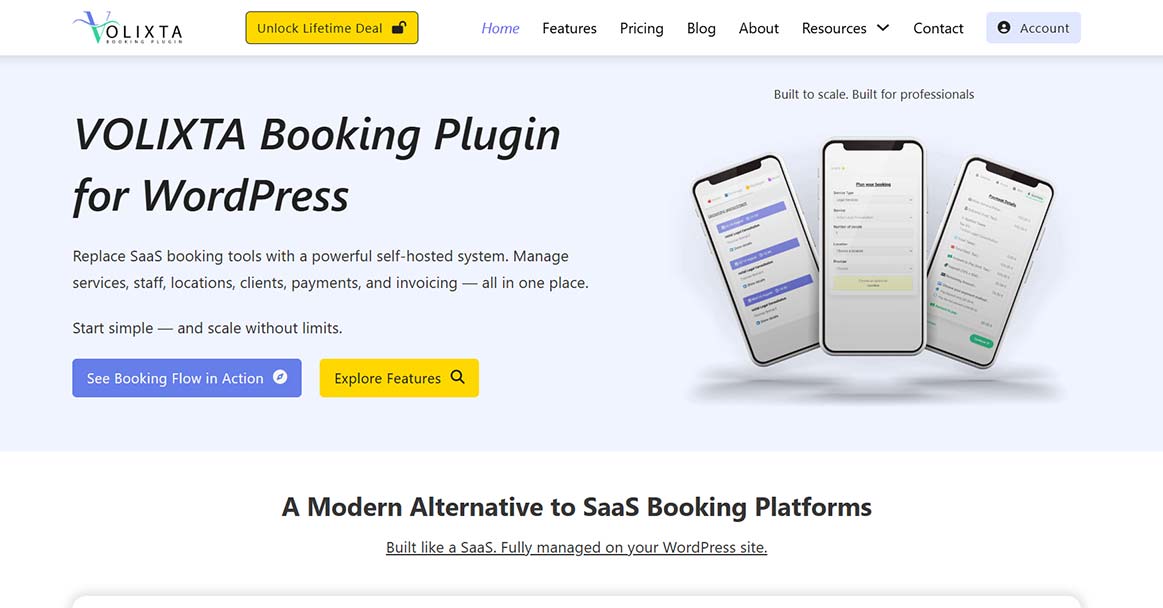
VOLIXTA is a WordPress booking platform designed for service businesses that operate with multiple staff members or locations. It combines appointment scheduling with tools such as client credits, service packages, payments, and invoicing.
The system allows businesses to manage multiple teams and locations from one dashboard, while giving branch managers access only to their own staff and bookings.
Best for:
multi-staff service businesses, clinics, studios, franchises, and international teams that require advanced scheduling workflows and branch-level management.
Key strengths:
branch-based management, multi-location scheduling, packages and client credits, built-in invoicing, multi-timezone support.
Booknetic
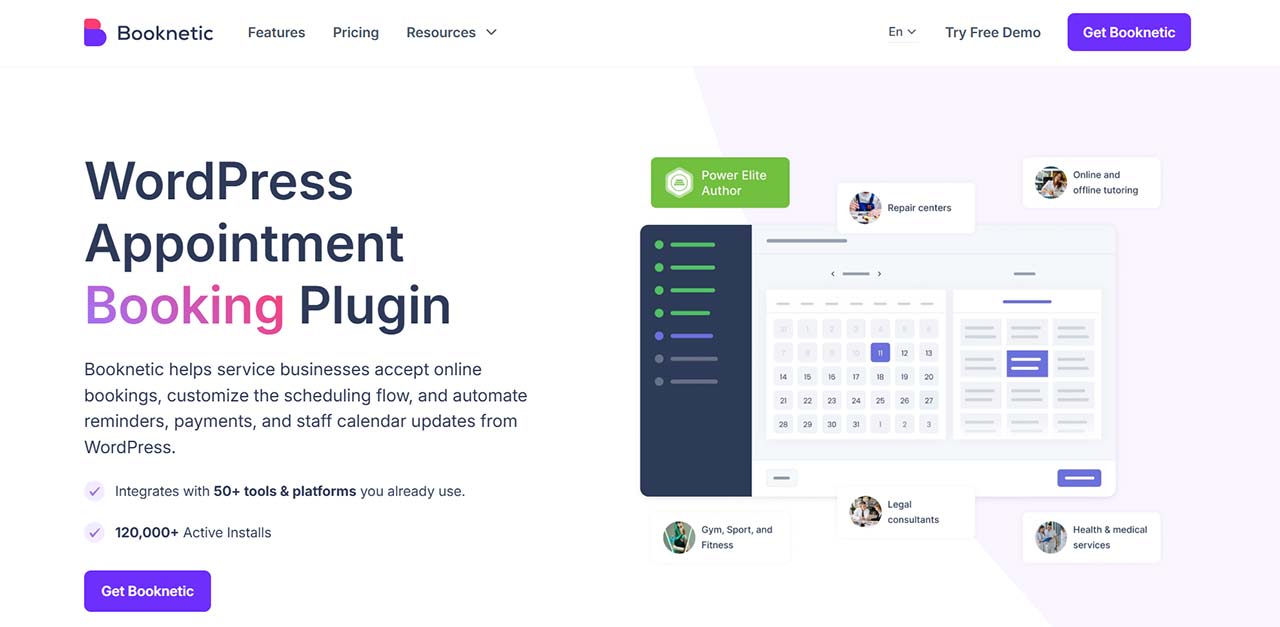
Booknetic is a WordPress appointment booking plugin designed for service businesses that need a complete scheduling solution with built-in automation. It supports multiple staff members, services, locations, payments, customer notifications, and calendar synchronization from within WordPress.
The plugin offers a structured booking workflow that allows customers to select a service, staff member, date, and time, while businesses can manage availability, payments, deposits, recurring appointments, reminders, and integrations from a centralized dashboard.
Best for:
service businesses that need a feature-rich appointment booking system with automation, multiple locations, and advanced scheduling capabilities.
Key strengths:
multi-staff scheduling, multi-location support, WooCommerce integration, Google Calendar and Outlook synchronization, recurring appointments, deposits, workflow automation, custom booking forms, coupons, invoices, multiple payment gateways.
BookingPress

BookingPress is a WordPress appointment booking plugin designed for service-based businesses that need a modern interface with a wide range of built-in features. It supports multiple services, staff members, and calendar synchronization while offering a guided setup experience.
The plugin provides a large number of integrations and payment gateways, making it a flexible solution for businesses that want an all-in-one booking system with strong built-in capabilities.
Best for:
service businesses that want a feature-rich booking plugin with integrated payment options and a guided setup experience.
Key strengths:
modern UI, booking wizard, multiple services and staff management, customizable booking forms, calendar synchronization, wide range of payment gateways.
Booktics
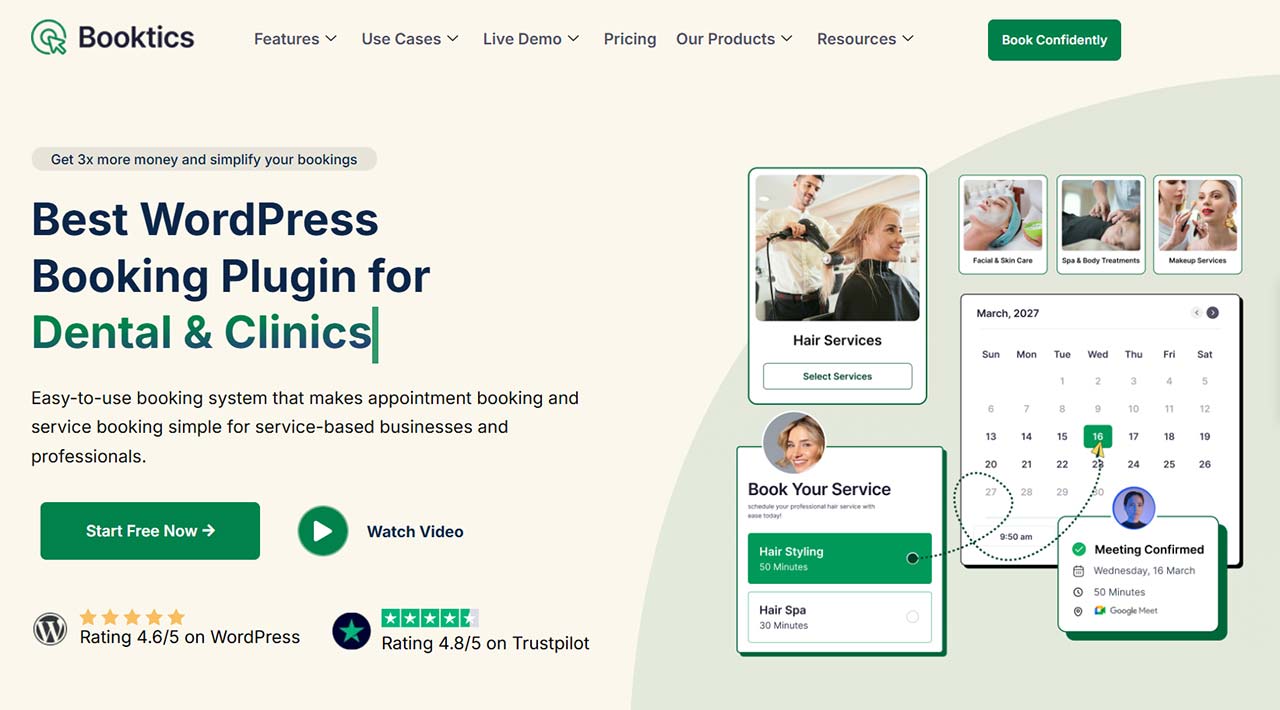
Booktics is a WordPress appointment booking plugin designed for service-based businesses that need staff scheduling, automated reminders, and flexible booking management without relying heavily on paid add-ons.
It supports multiple services, staff scheduling, buffer times, and booking limits, along with a visual automation builder for confirmations and reminders.
Best for:
Service businesses with a small team that want scheduling, staff management, and automated reminders in one plugin, without assembling a stack of paid add-ons.
Key strengths:
Multi-staff scheduling, booking limits and buffer times, visual automation builder, Google Calendar and Outlook synchronization, group booking support, staff dashboard.
Bookly
Bookly is a flexible WordPress booking plugin known for its large ecosystem of add-ons. Businesses can start with a basic booking setup and expand functionality over time with additional features such as payments, locations, and integrations.
Best for:
service businesses that want scalable appointment booking with optional extensions.
Key strengths:
large add-on ecosystem, customizable booking workflows, flexible integrations, scalable feature expansion.
LatePoint
LatePoint focuses on delivering a modern booking experience with a clean interface and automation features. It supports multiple staff members, real-time availability, and flexible booking flows for service businesses.
Best for:
local service businesses that want a streamlined appointment booking workflow.
Key strengths:
clean UI, real-time availability management, automation tools, modern booking experience.
Simply Schedule Appointments
Simply Schedule Appointments is a lightweight scheduling plugin designed for consultants, coaches, and freelancers. It focuses on simple booking flows, calendar synchronization, and quick setup within WordPress.
Best for:
solo professionals offering consultations, coaching sessions, or discovery calls.
Key strengths:
simple setup, lightweight scheduling, calendar synchronization, ideal for one-to-one meetings.
MotoPress Appointment Booking
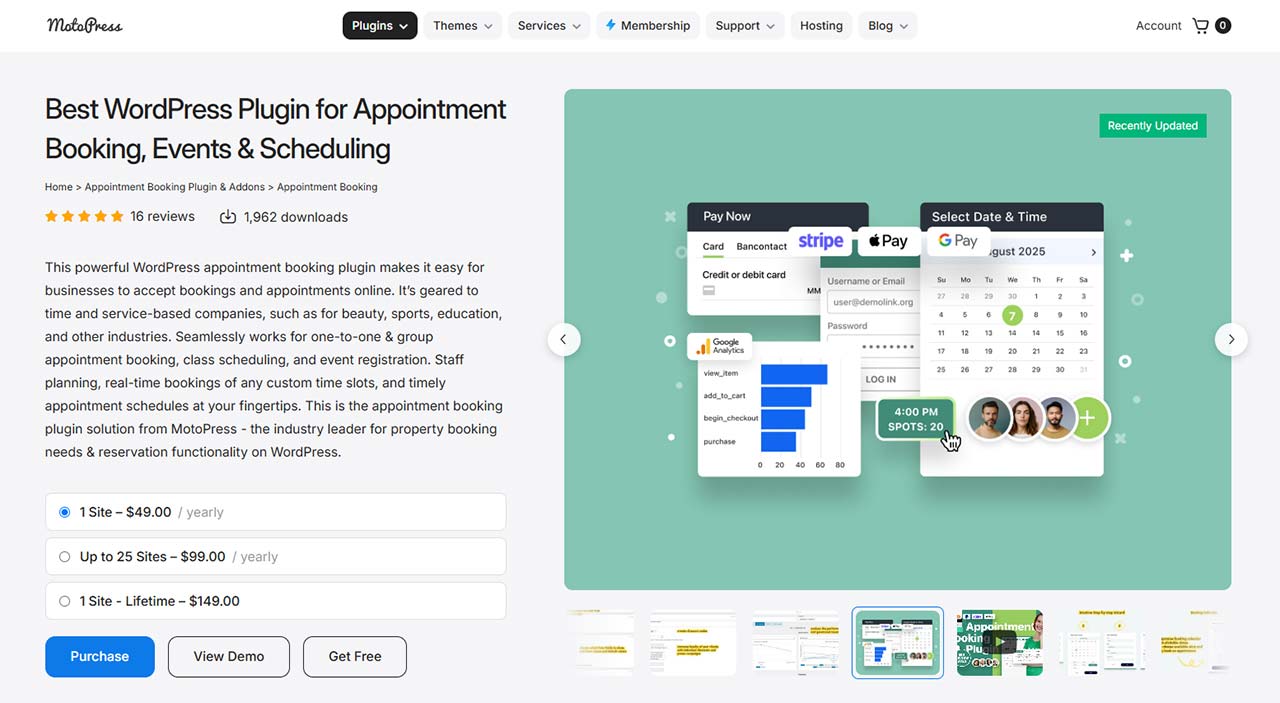
MotoPress Appointment Booking supports both one-to-one appointments and group scheduling. It offers flexible employee schedules, service management, and integrations through add-ons for payments and messaging. This WordPress scheduling plugin comes with a user-friendly booking wizard, appointment confirmations, and detailed booking management tools.
Best for:
service businesses that run appointments, classes, or group sessions.
Key strengths:
employee schedule management, group booking support, service management, booking wizard, appointment confirmations, and add-on integrations.
Booking Plugins vs Booking Platforms: A Critical Difference
Many comparison articles treat all WordPress booking plugins as if they solve the same problem. In practice, there is a fundamental difference between booking plugins and booking platforms.
Most traditional booking plugins focus on a single task: allowing users to select a date and time.
Booking platforms, however, manage the entire booking transaction — including:
- availability logic
- staff assignment rules
- pricing variations
- optional add-on services
- packages and prepaid sessions
- deposits and partial payments
- invoice generation with correct tax calculation
This distinction becomes important as soon as a business introduces operational complexity.
A simple scheduling form may work at the beginning.
But once services involve multiple staff members, locations, pricing paths, or billing requirements, booking becomes more than just selecting a time slot.
At that point, the system must handle decisions — not just dates.
This is why the best WordPress booking plugin for one business may be completely unsuitable for another.
The Booking Complexity Ladder
Businesses that expect to grow over time should think in terms of a scalable booking system, not just a plugin that works for today.
Not all businesses require the same level of booking sophistication.
You can think of WordPress booking systems as operating across five levels of complexity:
| Booking complexity level | Business need | Typical solution type |
|---|---|---|
| Level 1 | Solo consultants and simple meetings | Simple meeting schedulers (Simply Schedule Appointments, FluentBooking) |
| Level 2 | Small service businesses with a few staff | Appointment booking plugins (Booktics, LatePoint, Bookly, BookingPress, MotoPress Appointment Booking) |
| Level 3 | Growing teams with more structured workflows | Advanced appointment systems with add-ons (Bookly, Booknetic, BookingPress) |
| Level 4 | Multi-location operations and advanced scheduling logic | Extended booking plugins with location logic (Bookly, Booknetic, BookingPress) |
| Level 5 | Unified scheduling, payments, and invoicing | Advanced all-in-one booking platforms (VOLIXTA) |
As a business moves up this ladder, booking shifts from a calendar tool to an operational system.
Choosing the right level early can prevent expensive migrations later.
Quick recap:
As booking needs grow from simple meetings to multi-staff, multi-location operations, the booking system must evolve from a basic calendar into a fully operational platform.
Why the Best WordPress Booking Plugin Is Not the Same for Every Business
Many articles rank plugins from #1 to #10 as if one tool could fit every business. In reality, booking systems solve different problems.
A plugin perfect for a freelancer may completely fail for a multi-staff clinic or a business with multiple locations.
The real question is not: “Which plugin is best?”
It is: “Which booking logic fits your business?”
This is why generic ranking articles often fail to help businesses make the right decision in practice.
How to Match a Plugin to Your Business
Before looking at plugin names, check your real needs. A good booking plugin should match your workflow. Each category solves a different type of scheduling and operational problem, which is why understanding your real workflow matters more than comparing feature lists.
✔ Key questions to ask
- Do you manage multiple staff members?
- Do you operate in more than one location?
- Do you sell packages or prepaid sessions?
- Do you need deposits or partial payments?
- Do you require invoices with correct taxes?
- Do clients need self-service rescheduling?
- Do you need calendar synchronization?
If you answered “yes” to several of these, you likely need a more advanced system.
| Business type | Best plugin type | Typical examples |
|---|---|---|
| Solo consultants and simple meetings | Simple meeting scheduler | Simply Schedule Appointments, FluentBooking |
| Small service businesses with a few staff | Appointment booking plugin | Booktics, BookingPress, Booknetic, Bookly, LatePoint, MotoPress Appointment Booking |
| Events, workshops, and classes | Event booking and ticketing plugin | The Events Calendar |
| Hotels, rentals, and multi-day stays | Hotel or rental booking system | Tourfic, MotoPress Hotel Booking |
| Multi-staff businesses with packages, payments, and invoicing | Advanced all-in-one booking platform | VOLIXTA and similar solutions |
These examples are grouped by business needs and booking complexity, not by ranking or overall quality. Some plugins can operate across multiple levels depending on configuration or extensions.
Real-World Booking Needs Businesses Face
Many businesses start simple but grow into more complex needs.
Common real-world situations include:
- a studio adding more staff over time
- a clinic opening a second location
- coaches selling bundles of sessions
- businesses needing tax-correct invoices
- teams needing client and staff dashboards
A plugin that works at the beginning may not support these later requirements.
Many business owners also look for booking plugins that work with WooCommerce, especially when they already use WooCommerce for payments or checkout. However, booking systems use WooCommerce in different ways — some rely on it only for payments, while others connect it to a full checkout process.
This distinction becomes critical once payments, invoices, and checkout flows are tied directly to bookings.
WooCommerce Integration Models in WordPress Booking Plugins
WordPress booking plugins integrate with WooCommerce in different ways.
Some only use WooCommerce as a payment gateway, while others rely on it as the core booking engine.
| Integration Model | Description | Typical Use Case |
|---|---|---|
| WooCommerce as payment gateway | Bookings are managed inside the plugin while WooCommerce is used only to process payments through its gateways. | Service businesses that need Stripe, PayPal, or other gateways without turning bookings into products. |
| Bookings as WooCommerce products | Appointments or reservations are created as WooCommerce products and managed through the WooCommerce checkout. | Stores that already use WooCommerce as their main sales system. |
| Native booking logic with WooCommerce payments | The booking system manages availability, services, and scheduling while WooCommerce handles payment transactions. | Businesses needing advanced scheduling logic but still wanting WooCommerce payment gateways. |
| Full booking-aware checkout | The booking system manages the full transaction including services, pricing logic, and invoices while WooCommerce acts only as the payment layer. | Complex service businesses needing packages, deposits, credits, and tax-aware invoices. |
Understanding how a booking plugin uses WooCommerce matters most when you handle deposits, packages, taxes, and invoices. Some plugins use WooCommerce only for payments, while others rely on it as the booking engine.
For complex service businesses, the best approach is booking-aware logic with WooCommerce as the payment layer.
If you want a deeper breakdown of how WooCommerce Bookings works and where its limitations come from, you can read our full comparison guide.
Best WordPress Booking Plugins by Real-World Use Case
Choosing the right booking plugin depends on how your business operates. Here are the most common scenarios and the tools that typically fit best.
- Solo coach offering Zoom sessions → a simple meeting scheduler like Simply Schedule Appointments is often enough.
- Local salon, spa, or clinic with 3–10 staff members → an appointment plugin like Booknetic, Booktics or BookingPress works well.
- Growing service business with multiple locations or complex workflows → an advanced all-in-one system like VOLIXTA is more suitable.
- Hotel or rental business → a dedicated solution like MotoPress Hotel Booking is the right fit.
There is no universal “best” plugin. The right choice depends on your business model, your pricing logic, and how you manage your operations.
For most small businesses, a standard appointment plugin is enough. But as complexity increases — multiple staff, packages, invoicing — more advanced platforms become necessary.
When Do You Need a More Advanced Booking Plugin?
Not every business needs a complex booking system. The right choice depends on how your operations are structured.
You likely need an advanced booking plugin if:
- You manage multiple staff members
- You sell packages or prepaid sessions
- You require deposits or partial payments
- You operate in multiple locations
- You need invoices with accurate taxes
For growing businesses, choosing a long-term booking solution early can prevent costly migrations and workflow disruptions later.
A simple plugin is enough if:
If you:
- work alone
- offer only one type of service
- don’t require invoices
- don’t sell packages
- don’t manage staff
a lightweight plugin is often the smarter choice.
Why Multi-Step Booking Flows Matter for Growing Businesses
Many booking plugins rely on long, static forms. As complexity increases, these forms become confusing, error-prone, and difficult to maintain.
Multi-step booking flows solve this by breaking the booking journey into short, contextual steps that adapt to real booking logic rather than forcing users through a static form. For a concrete example of how this works in practice, see our detailed guide on multi-step booking flows.
Each step adapts dynamically based on:
- selected service
- staff availability
- location rules
- pricing logic
- packages and credits
Instead of asking everything at once, the system guides the client through a decision-aware flow, reducing friction and improving conversion.
Understanding the Different Types of Booking Systems
1. Simple Meeting Schedulers
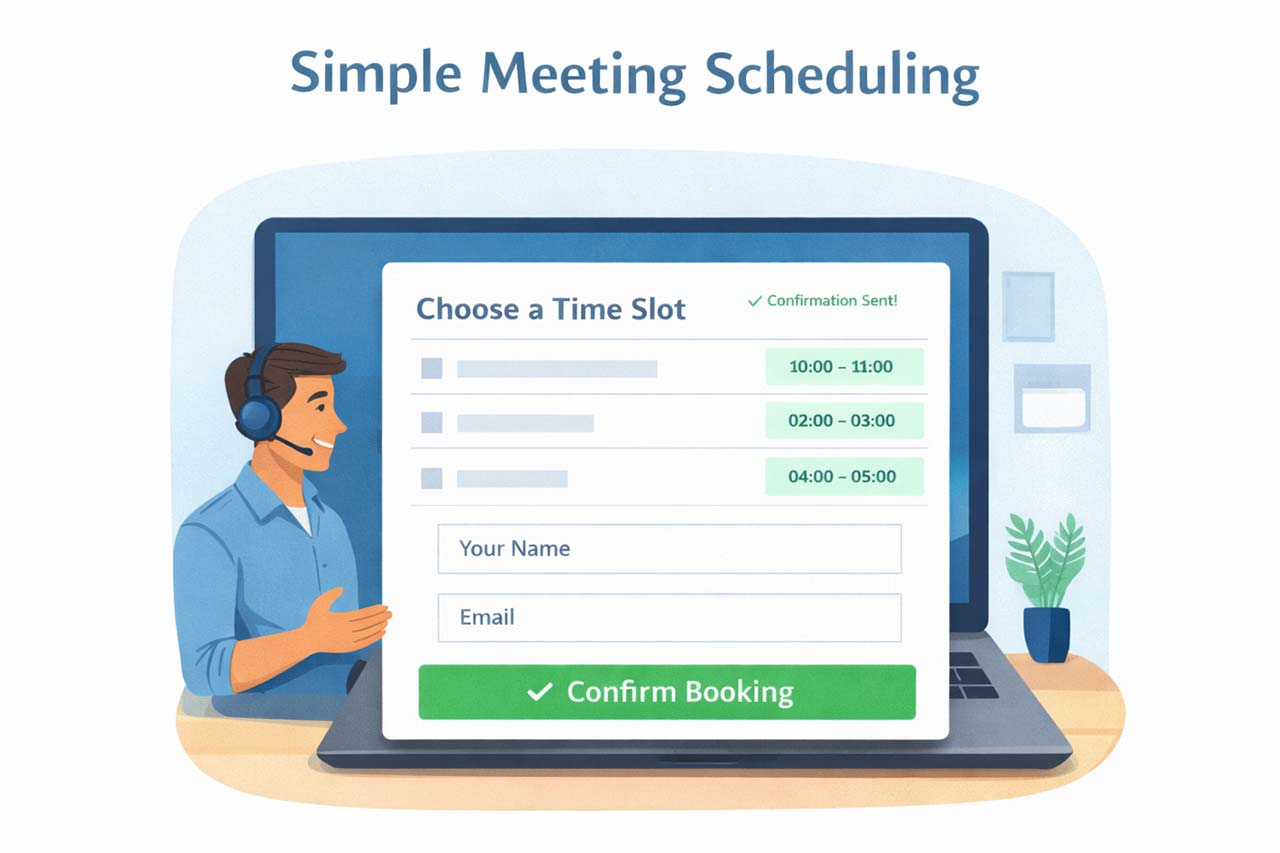
These plugins are designed for speed and minimal setup.
They usually let visitors:
- choose a time slot
- enter their contact details
- receive an automatic confirmation
- Calendar synchronization is often included so your personal calendar stays up to date.
They are a great fit for:
- solo consultants
- coaches
- freelancers
- sales or discovery calls
They intentionally keep things lightweight.
Features such as multi-location management, packages of sessions, or detailed invoices are outside their scope.
Plugins like Simply Schedule Appointments or FluentBooking represent this style well: quick to launch and easy for clients to use.
2. Appointment Plugins for Small Service Businesses
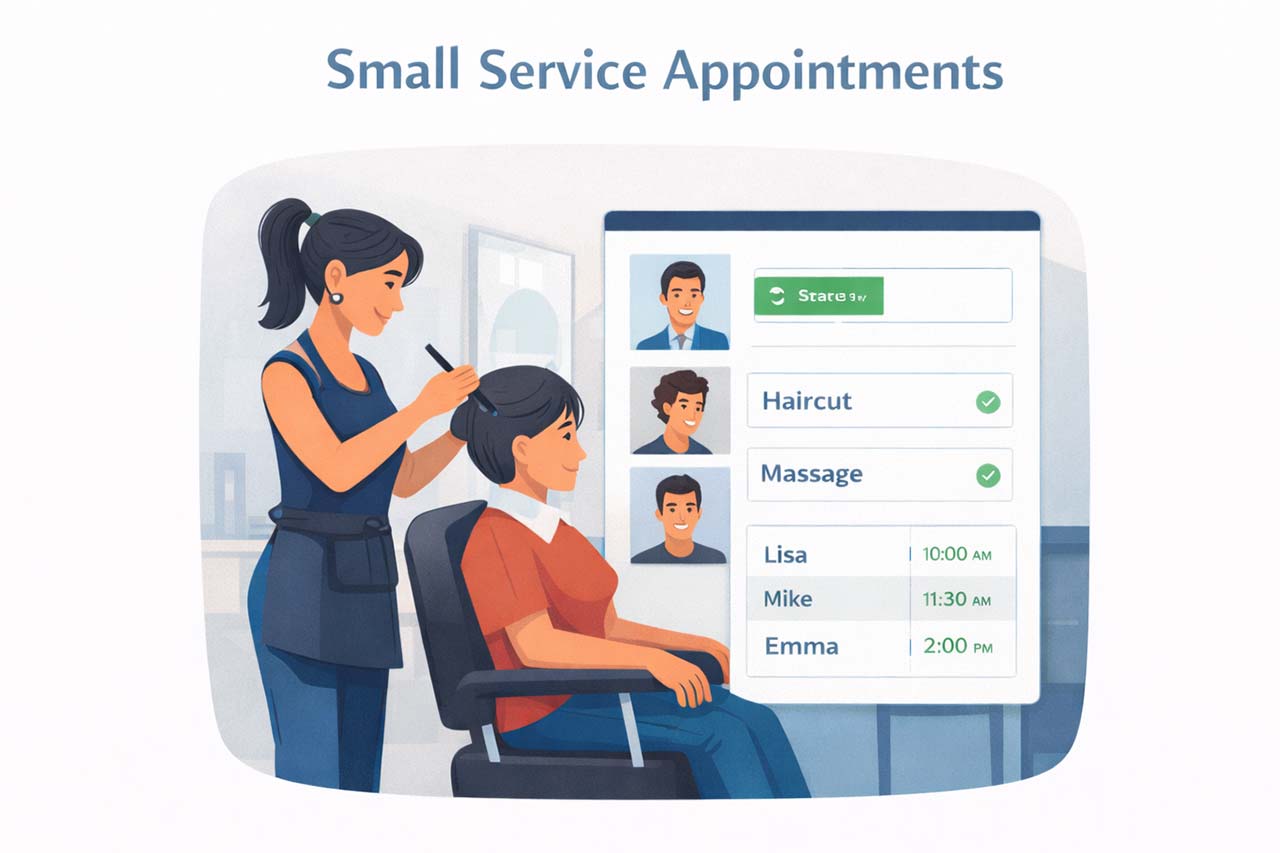
This category is often what businesses mean when they look for a WordPress appointment system for local services. These tools target local service providers with several services and possibly a few team members.
Typical capabilities include:
- multiple services with different durations
- several staff members
- custom working hours and days off
- email or SMS reminders
- optional online payments
They work well for:
- salons and spas
- small clinics
- tutors and trainers
- studios with one location and a small team
They usually provide a polished booking form and a clear admin area for daily scheduling.
As businesses grow, some needs may go beyond what these plugins natively handle, for example:
- prepaid packages that track remaining sessions
- client credits or gift balances
- invoices calculated per service with correct taxes
- different rules per branch or office
- dedicated self-service portals for staff and clients
Popular names in this category include Booktics, BookingPress, Booknetic, LatePoint, Bookly, Easy Appointments, and MotoPress Appointment Booking.
More recently, solutions like Volixta are emerging with a stronger focus on advanced scheduling logic, billing flexibility, and a complete, all-in-one platform with all features built-in — no add-ons needed.
Each of them is strong for everyday appointment management in small to medium setups.
3. Event Booking and Calendars
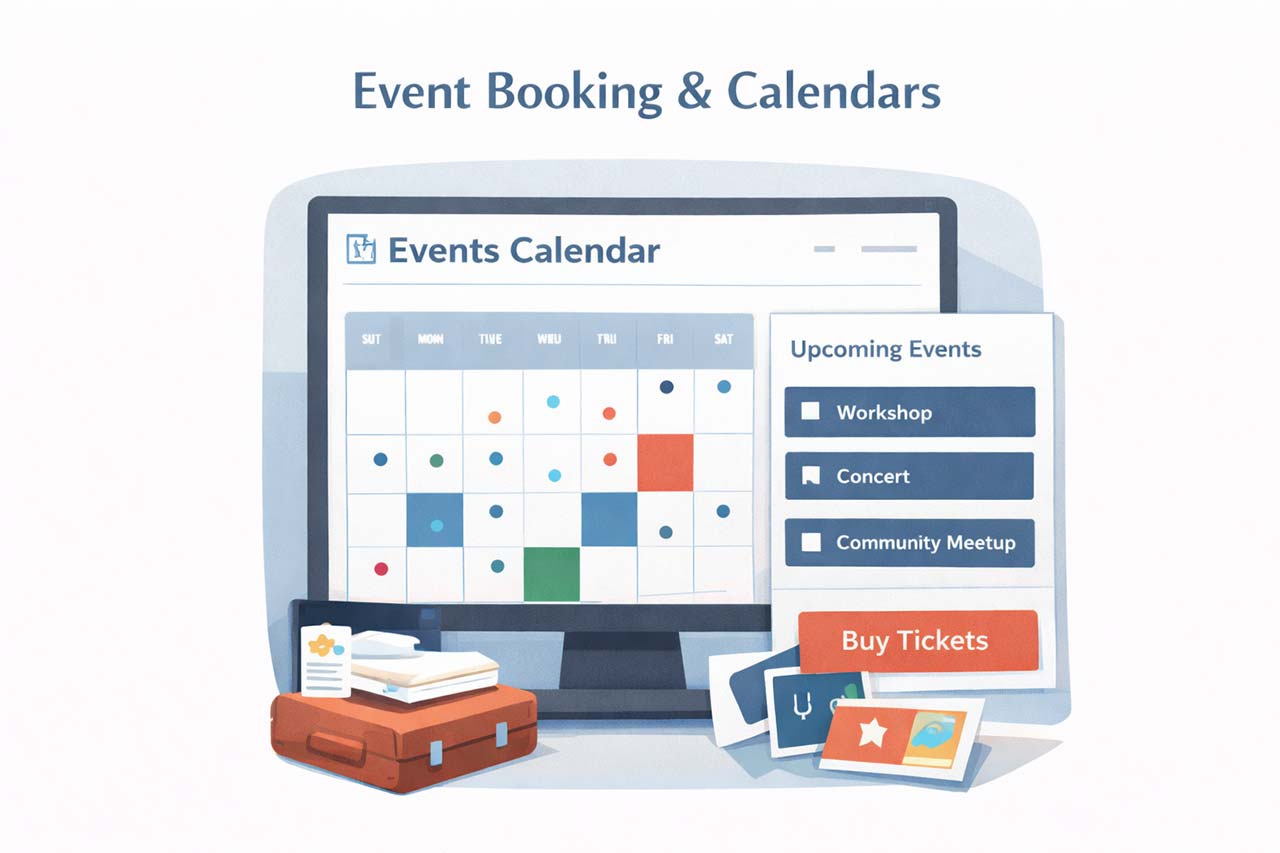
Event plugins focus on publishing and managing scheduled happenings rather than individual appointments.
They typically offer:
- event lists and calendar views
- recurring events
- venues and organizers
- search and filtering
- optional ticket sales
They are ideal for:
- workshops
- conferences
- community events
- classes open to groups
They are not meant to coordinate individual staff schedules or generate per-appointment invoices.
For event-driven websites, a tool like The Events Calendar is often the most natural choice.
4. Hotel and Rental Booking Systems

These plugins are optimized for stays measured in nights or days, not hours.
They manage:
- room or unit inventory
- nightly or multi-day pricing
- seasonal rates
- synchronization with external booking channels via iCal
They are excellent for:
- hotels and guesthouses
- vacation rentals
- tours and travel offers
- equipment or vehicle hire
Their model is based on dates and capacity.
They are not built around staff performing timed services with buffers between appointments.
Tools such as Tourfic or MotoPress Hotel Booking belong to this group.
5. Advanced All-in-One Booking for Complex Services
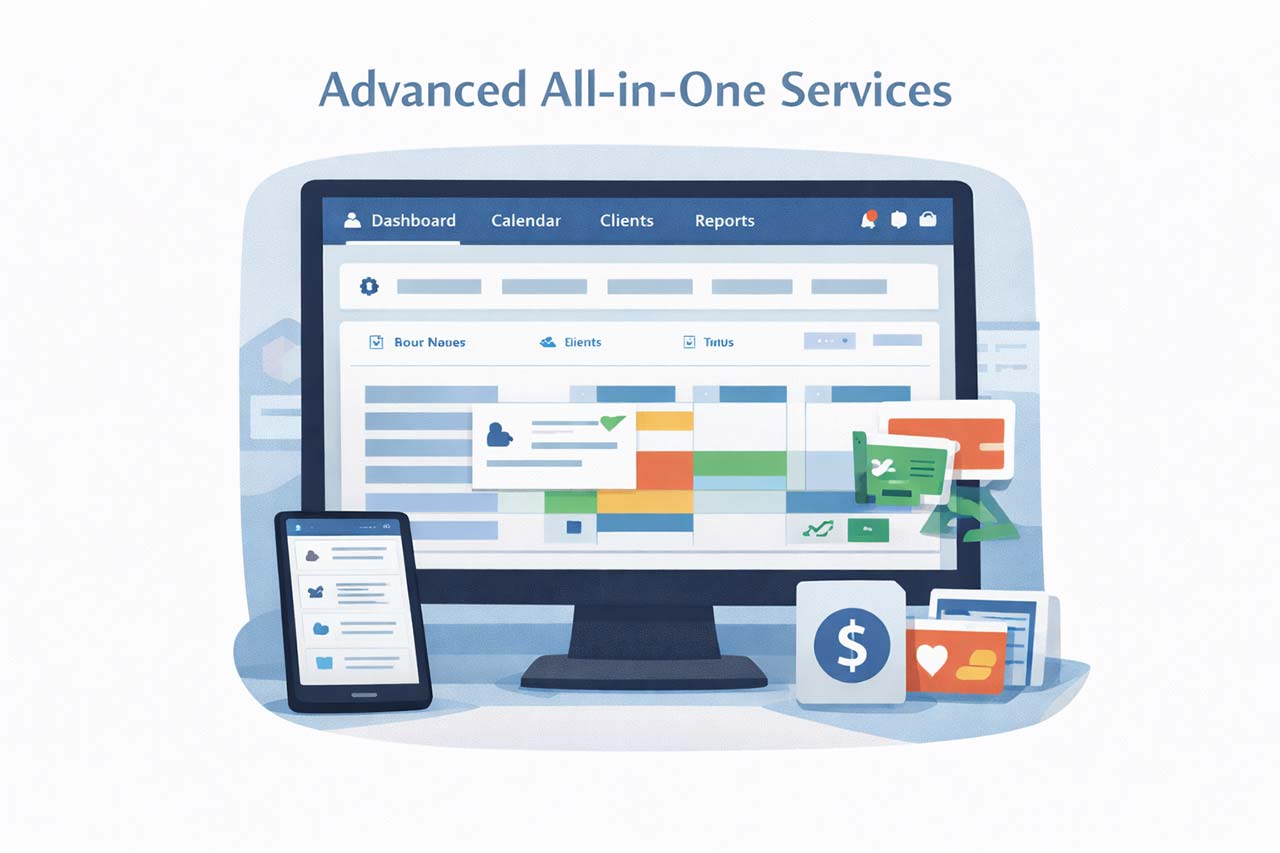
Some service businesses need everything to work together: scheduling, staff coordination, client data, payments, packages, and invoicing.
Typical requirements at this level include:
- different working hours per staff member and per location
- automatic buffers and preparation time between bookings
- smart staff assignment based on the selected service
- multi-branch control from one dashboard
- add-on services during booking
- prepaid packages with usage limits and expiration
- client credits and gift codes
- client accounts with full history
- client and staff self-service portals in the frontend
- calendar sync with Google, Outlook, or Apple
- automatic confirmations and rescheduling notices
- deposits and remaining balances
- invoices calculated from real services, add-ons, and taxes
- online payments via WooCommerce gateways without turning services into generic products
- fast, mobile-friendly, step-by-step booking flows
- multilingual operation
This is where a more comprehensive booking plugin becomes useful.
Unlike traditional booking plugins, VOLIXTA operates as a transaction-aware booking platform. Availability, pricing logic, packages, deposits, wallet credits, and tax-aware invoices are resolved inside a unified multi-step flow — rather than being connected through separate extensions.
Inside a single WordPress plugin it connects:
- advanced availability rules and buffers
- intelligent assignment of services to many staff and locations
- packages, credits, and optional add-ons
- client and staff dashboards without WordPress backend access
- automated notifications and calendar synchronization
- detailed, tax-aware invoices tied directly to each booking
- WooCommerce payments while keeping service-aware billing logic
- an app-like, mobile-ready user experience
- translation and localization support
For a solo consultant this would be more than necessary.
For multi-staff, multi-location service businesses it can replace several separate tools and manual workarounds. This type of platform often becomes relevant when businesses migrate from simpler tools.
For a concrete overview of how scheduling, payments, and invoicing work together in practice, see how it works.
As your business grows, your booking system should be able to grow with it.
Where Popular Plugins Fit
Rather than ranking winners and losers, it’s more accurate to see what each well-known plugin is especially good at:
- VOLIXTA – advanced booking platform designed for multi-staff service businesses with packages, payments, invoicing, and multi-location management.
- Booknetic – advanced appointment booking with automation, multi-location support, and extensive integrations.
- Booktics – appointment booking for small service teams with staff scheduling, booking automation, and calendar synchronization.
- BookingPress – feature-rich appointment booking with a wide range of integrations and addons.
- Simply Schedule Appointments – fast, simple scheduling for one-to-one meetings.
- LatePoint – smooth daily booking management for small local businesses.
- Bookly – flexible and extendable through add-ons for growing needs.
- WP Booking Calendar – straightforward date-based availability display.
- The Events Calendar – publishing and managing events.
- Tourfic – hotel and travel style reservations with nightly pricing.
- FluentBooking – automated meeting and call scheduling.
Each of these plugins excels within its intended use case.
How to Make the Right Choice Long-Term
If you’re wondering how to choose a booking plugin without wasting time or money, a practical shortcut is to match your main need to the right group:
- simple personal meetings → simple meeting scheduler
- everyday appointments for a small local team → appointment plugin for small service businesses
- public events or classes → event booking calendar
- overnight stays or rentals → hotel or rental booking system
- coordinated staff, locations, packages, payments, and invoices → advanced all-in-one booking plugin such as VOLIXTA
Also think ahead.
Moving years of bookings and client data to another system later can be difficult.
Choosing a tool that fits both your current workflow and your likely future complexity can save a full rebuild.
The best booking plugin is the one that quietly supports your workflow without forcing you to adapt your business around it.
Common Mistakes When Choosing a Booking Plugin
- Choosing only for today’s needs and ignoring future growth
- Mixing several plugins that don’t share the same data
- Ignoring invoicing and tax requirements until it’s too late
- Forgetting staff and client self-service needs
- Prioritising looks over real scheduling logic
A small salon with two stylists can start with a classic appointment plugin.
If the same business later adds packages of sessions, multiple branches, deposits and detailed invoices, moving to a more advanced all-in-one booking plugin becomes more appropriate.
For businesses where bookings directly impact revenue tracking and accounting, this level of integration becomes essential.
Performance Considerations for Booking Plugins
Performance is often overlooked when choosing a booking plugin, yet it directly affects both user experience and conversion rates.
Booking systems frequently run complex availability checks, pricing rules, and scheduling logic. Poorly optimized plugins can slow down your site, especially under high traffic.
A fast and efficient booking system ensures smoother interactions, reduces friction, and helps maintain a high conversion rate.
What Is the Best WordPress Booking Plugin for Most Businesses?
The best WordPress booking plugin depends on your business size and booking complexity.
For simple needs, lightweight schedulers are enough.
For growing teams, structured appointment systems work well.
For complex operations, advanced booking platforms become necessary.
The best WordPress booking plugin is the one that matches your workflow, not just the longest feature list.
Final Thoughts on Choosing a WordPress Booking Plugin
In 2026, WordPress booking plugins are no longer just calendars — they are full operational tools.
The idea of a single “best” WordPress booking plugin is misleading.
What matters is not how popular a plugin is today, but how well it supports your business as complexity increases.
Lightweight schedulers are excellent for meetings.
Appointment plugins serve small local teams efficiently.
Event and rental tools solve their own specific challenges.
But when scheduling becomes part of a larger operational system — involving staff coordination, payments, packages, and invoicing — the cost of choosing the wrong tool becomes very real.
The best booking plugin is the one that aligns with how your business works now, and how it will need to work as it grows.
A scalable booking plugin should support your current operations while remaining flexible enough to handle future complexity.
FAQ About WordPress Booking Plugins
Below are some of the most common questions businesses ask when choosing a WordPress booking plugin.
What is the best WordPress booking plugin for small businesses?
The best WordPress booking plugin for small businesses depends on the complexity of services offered. Solo consultants and small teams often benefit from lightweight appointment schedulers, while service businesses with multiple staff members, locations, or payment requirements may need a more advanced booking system.
The right choice should match your operational workflow rather than simply offering the longest feature list.
What is the best free WordPress booking plugin?
Several WordPress booking plugins offer free versions. Plugins like Simply Schedule Appointments, Bookly, and Amelia provide free plans with limited features. These versions usually allow basic appointment scheduling but may require paid upgrades for advanced features such as payments, multiple staff management, or integrations.
Do WordPress booking plugins support WooCommerce payments?
Many WordPress booking plugins support WooCommerce, but integration levels vary. Some use WooCommerce only as a payment gateway, while others treat bookings as generic products. More advanced booking platforms integrate WooCommerce as a financial layer while keeping service logic, deposits, packages, and invoices directly tied to the booking system.
Can booking plugins handle business growth?
Some booking plugins are designed for simple scheduling, while others are built to scale with growing businesses. As complexity increases — such as adding multiple staff members, locations, prepaid packages, or tax-aware invoices — a scalable booking system becomes essential. Choosing a system that supports long-term growth can prevent costly migrations later.
Are WordPress booking plugins better than SaaS booking tools?
WordPress booking plugins offer more flexibility and ownership compared to SaaS booking platforms.
Instead of paying monthly subscription fees and relying on an external service, businesses can manage bookings directly inside their own website. This allows greater customization, integration with other WordPress tools, and full control over booking data.
Can WordPress booking plugins handle multiple staff members?
Yes, many WordPress booking plugins support multi-staff scheduling. Appointment plugins like Amelia, Bookly,
LatePoint, and MotoPress Appointment Booking allow businesses to assign services to different employees, manage staff schedules, and automatically match available staff with client bookings.
Do WordPress booking plugins support deposits and partial payments?
Yes, many WordPress booking plugins support deposits and partial payments. However, the level of support varies. Some plugins offer basic deposit options, while more advanced booking systems allow flexible payment rules, including percentage-based deposits, fixed amounts, and remaining balance tracking. For businesses with complex pricing, choosing a plugin with built-in payment logic is essential.
Can WordPress booking plugins generate invoices automatically?
Some WordPress booking plugins can generate invoices automatically, but this is not a standard feature. Basic plugins may rely on external tools or WooCommerce for billing. More advanced booking systems include built-in invoicing with tax calculation, service-based pricing, and payment tracking directly linked to each booking.
Which WordPress booking plugin is best for multi-location businesses?
The best WordPress booking plugin for multi-location businesses is one that supports staff management, location-specific schedules, and centralized control. While some plugins offer basic location features through add-ons, advanced booking platforms provide full multi-branch management, allowing businesses to manage teams, services, and availability across different locations.
What is the difference between WordPress booking plugins and SaaS tools like Calendly?
WordPress booking plugins are self-hosted and fully customizable, allowing businesses to control their booking logic, payments, and data. SaaS tools like Calendly are easier to set up but often limited in flexibility. For simple scheduling, SaaS tools are sufficient. For businesses with complex workflows, WordPress booking plugins offer more control and scalability.
Can WordPress booking plugins handle packages or prepaid sessions?
Some WordPress booking plugins support packages or prepaid sessions, but this feature is usually limited or requires add-ons. Advanced booking systems can track session usage, apply expiration rules, and manage client balances, making them more suitable for businesses offering bundles or long-term services.
Is it difficult to switch WordPress booking plugins later?
Switching WordPress booking plugins can be difficult, especially for businesses with existing bookings, client data, and payment history. Most plugins store data differently, which makes migration complex. Choosing a scalable booking system from the beginning can help avoid data loss and costly transitions later.
This guide is regularly updated to reflect how WordPress booking systems evolve as businesses scale and new booking models emerge.